How Do I Set Up a Profile?
Sextant AI lets administrators for organizations set up profiles for their firms and lets individuals set up profiles for themselves. How do I set up a profile?
Last Updated February 2026
Who Is This For?
This article is for users who want to advertise their organizations and themselves to the rest of the Sextant AI community. Setting up a profile helps others know what you do and your categories of focus.
Common Issues
Users may not realize that they can add to their profiles or that they can attract interest and market intelligence from having completed profiles. We recommend a completed profile, for at least the organization.
Solution Overview
To set up a user profile:
1. Navigate to “My Profile” in the left hand menu.

2. Your profile page will look like this at the top of the page:
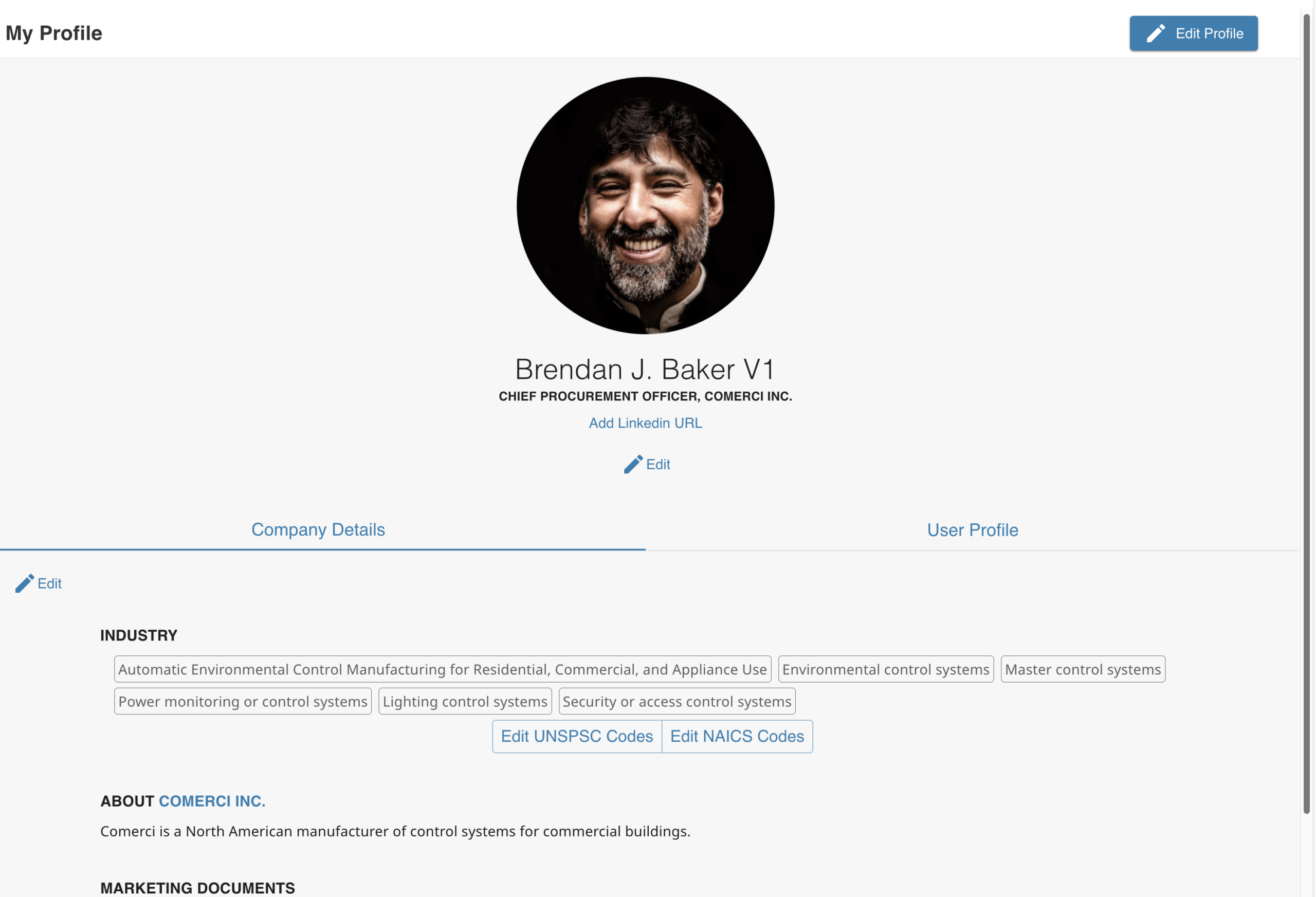
Others will not see the buttons and links asking you to edit information. These only appear when a user is looking at their own profile page.
3. To change the picture, hover over it, and click on “Edit Portrait.” Upload an image from your computer. (You can change your personal photo this way, as well.)
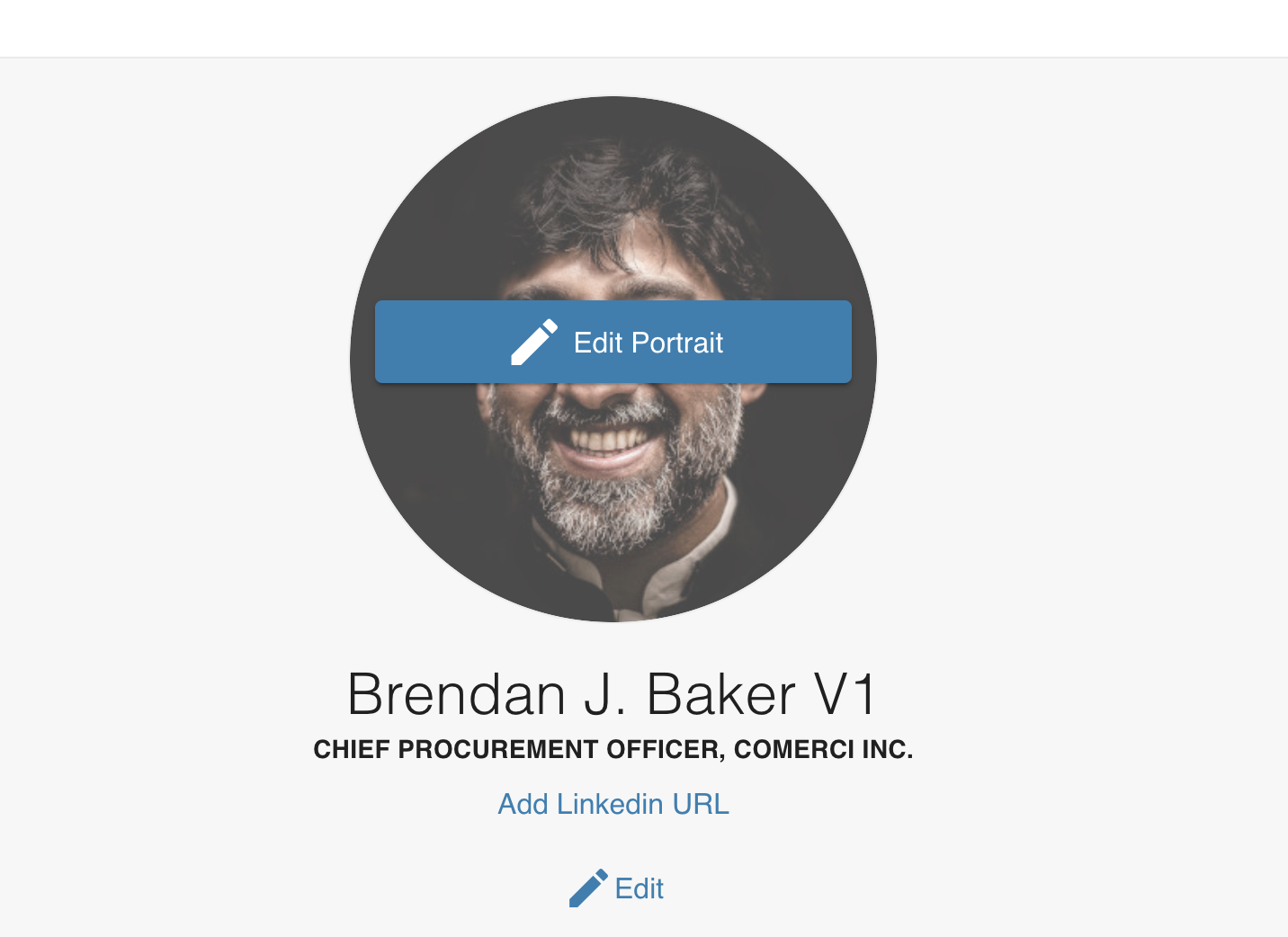
Click on “Save Image” when you have uploaded the file from your computer.
4. Next, click on “Edit” underneath your profile picture to update your personal information.

You will see a form in which you can add or update data.
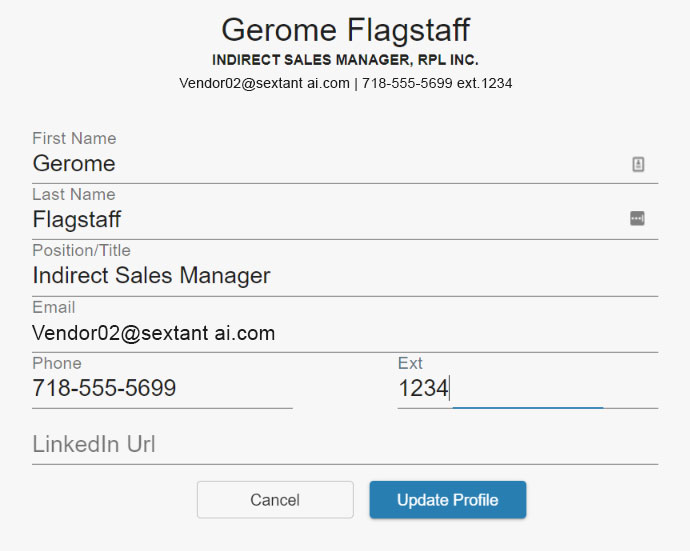
Click on “Update Profile” when you are done.
5. To add a description of your company and a link to a company video, click on “Company Details” and then click on “Edit.”

You will then see a form to fill out:

After filling out the form, including a link to a video highlighting your organization, click “Update.”
Related Articles
How Do I Invite Other People from My Organization to Sextant AI?
Still Need Help?
Shoot us a message at support.